Your daily sales record, without the notebook.
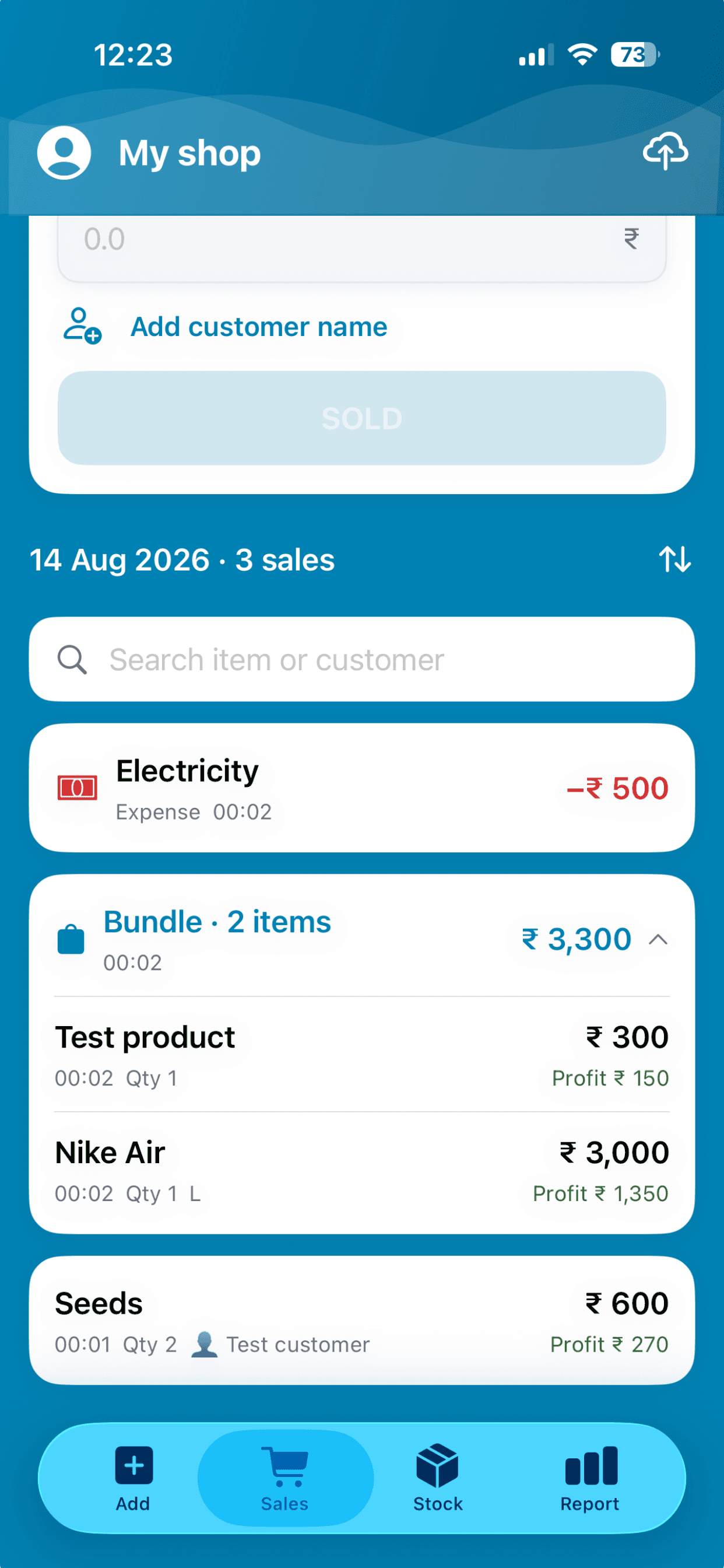
Every sale is written down for you the moment you save it: what sold, how many, when, for how much, and the profit on it. Open any day and it is all there.
On the stores as Daily Sales Profit & Inventory
In short
BusinessX is a daily sales record app for small shops, on Android and iPhone. Every sale is saved with its items, time and profit, sales can be marked paid or unpaid, and reports export to CSV, Excel or PDF.
Checked against the current app version. Updated .
Every sale, recorded as it happens.
Each entry shows the item, quantity, time, amount and profit, with an optional customer name. Bundles stay together as one sale. Expenses sit in the same list, so the day reads in order.
- Search the day's sales by item or customer
- Sort the list the way you want it
- Partial returns keep the record straight
Paid or unpaid.
When a customer will pay later, mark the sale unpaid. The report keeps a To collect total, you can filter sales by paid or unpaid, and you mark a sale paid when the money arrives.
Look back by day or by month.
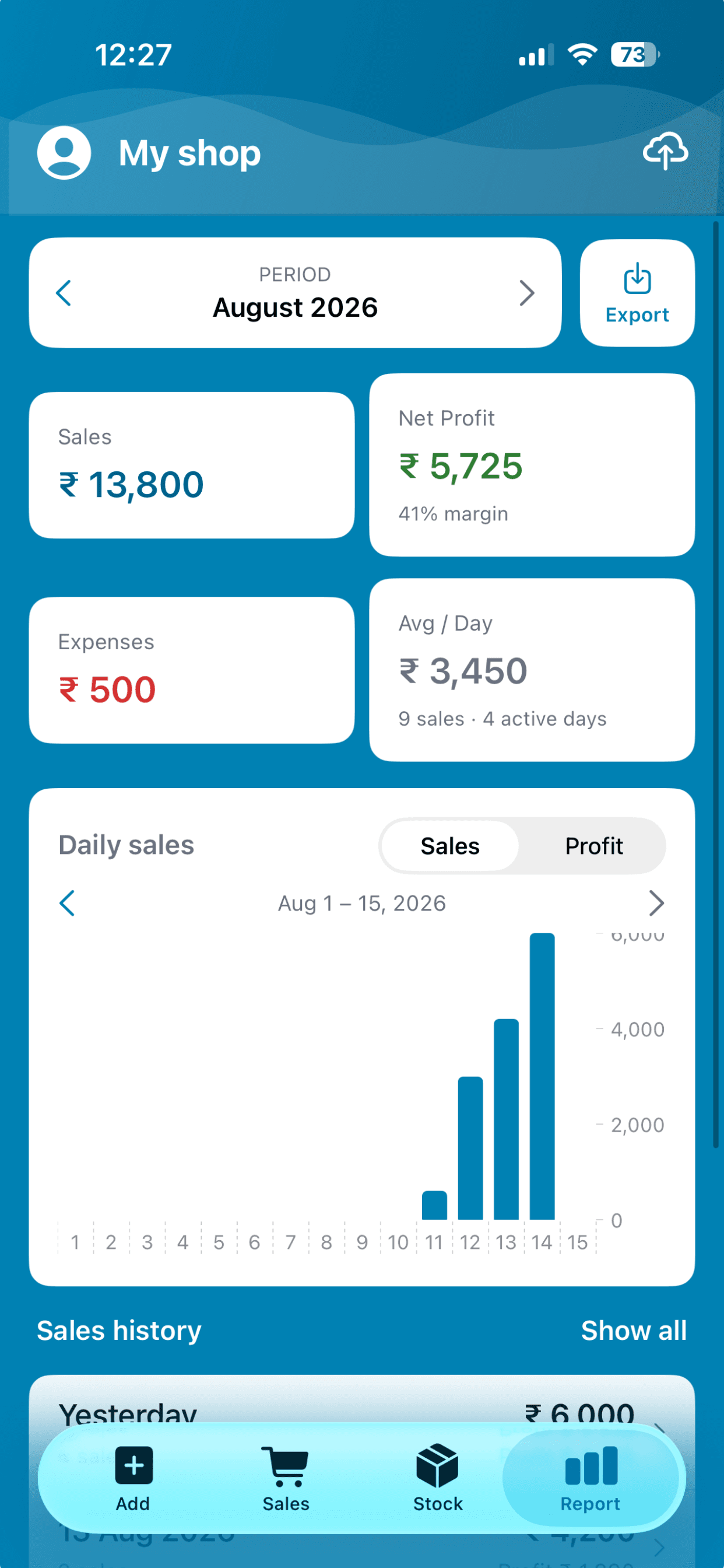
The report shows a month at a time with a daily chart, and Sales history opens the full list underneath it. Move between months with a tap.
Hand it to your accountant.
Export sales or inventory as CSV, Excel or PDF. The PDF is a paginated report, the Excel file opens straight in Excel or Google Sheets, and your last few days of exports stay a tap away to reopen or share.
See profit on top of the record →Sales record questions, answered.
How do I keep a daily sales record for my shop?
Record each sale in BusinessX as it happens. Every sale is saved with its items, time, amount and profit, so the day's record builds itself.
Can I see sales from a past day or month?
Yes. The report moves month by month, and Sales history lists the individual sales behind it.
Can I mark a sale as unpaid?
Yes. Mark it unpaid, see the To collect total on the report, filter by paid or unpaid, and mark it paid later.
Can I export my sales record?
Yes. Export sales as CSV, Excel or PDF and send it to your accountant or open it in a spreadsheet.
Does it work offline?
Yes. Sales are recorded with no signal and back up when you reconnect.
More answers on the BusinessX FAQ.
More from BusinessX
A simple POS for your counter
Tap items, save the sale. Stock and profit update on their own, offline, on the phone you already have.
Know your daily profit
Cost and selling price give profit on every sale. Expenses and trends show what you really keep.
Staff access and multiple shops
Share a shop with staff and choose what they can do. Run up to 3 shops from one account.
Close the notebook.
Record today's first sale and the record starts itself.