Size-wise stock for shoe and clothing shops.
One shoe, ten sizes, and the customer wants a 9. Add the item once with a count for every size, sell by size, and always know which sizes you still have.
On the stores as Daily Sales Profit & Inventory
In short
BusinessX is inventory software for shoe shops, clothing shops and any shop that sells by size or variant, on Android and iPhone. You add an item once with a row per size, colour or pack, sell by row, and see what is left in each. It also tracks expenses, total stock cost and money still to collect.
Checked against the current app version. Updated .
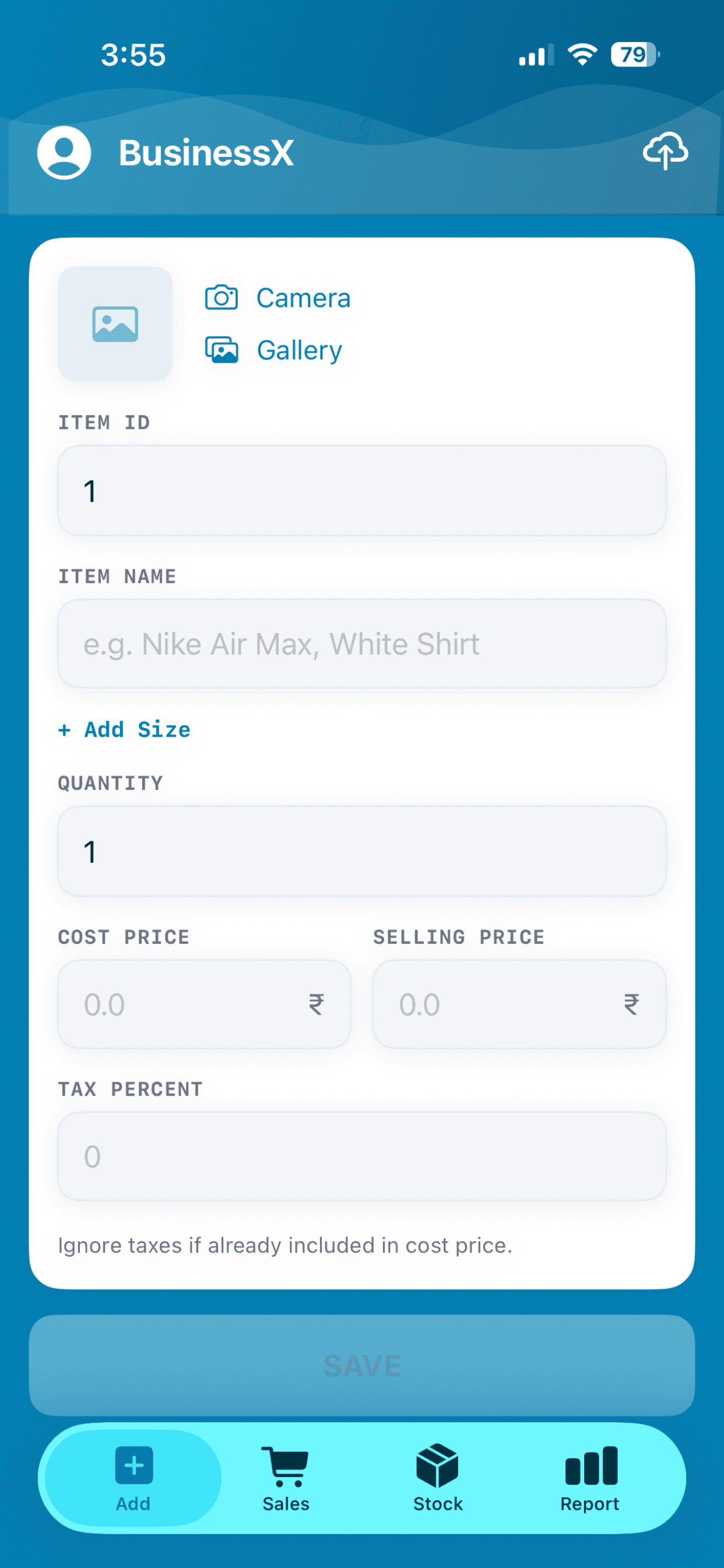
Add an item once, then add its sizes.
Fill in the photo, name, cost and selling price, then tap Add Size for each size and give it a count. UK 6 to 10 for shoes, S to XL for shirts: you name the sizes.
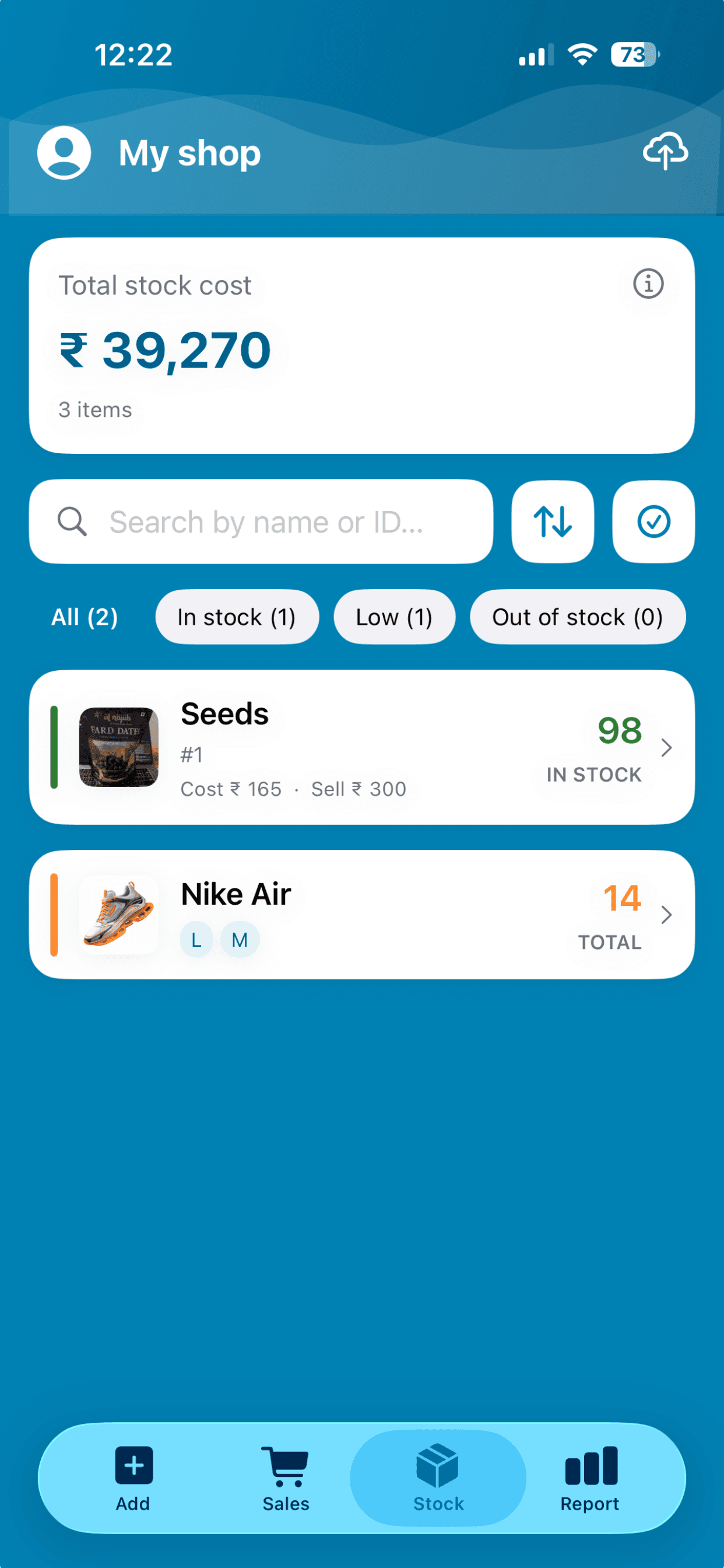
See every size at a glance.
On the stock list an item shows its sizes as small chips under the name, with the total pairs or pieces next to it. Tap the item to see the count for each size.
Sell by size.
Pick the item, pick the size, save the sale. The sale takes stock from that size only, and the sale record notes which size left the shop.
Read the shoe shop inventory guide →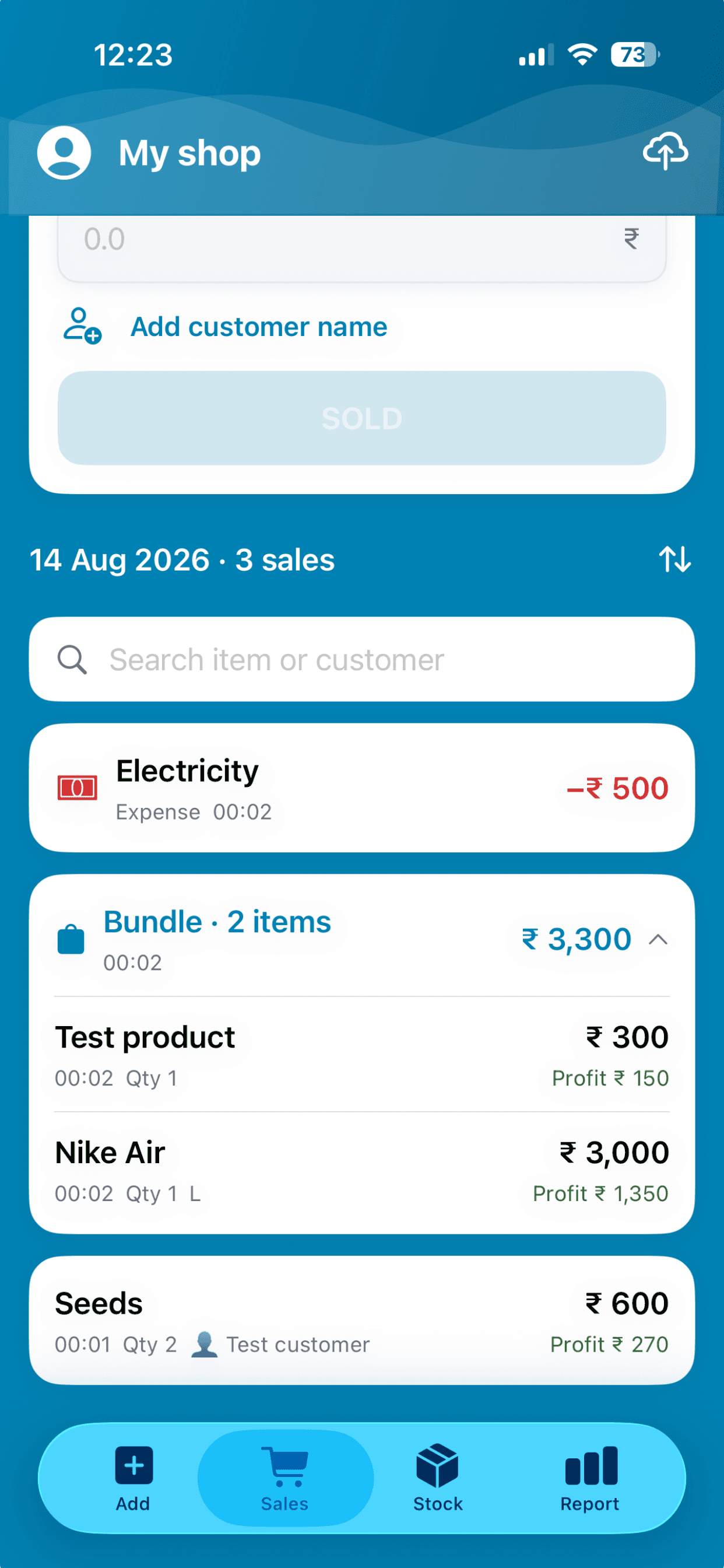
Restock one size at a time.
A delivery of just two size 9s? Add those two to size 9 and leave the rest alone. Add a new size to an existing item whenever one arrives.
See restocking and inventory →Not only sizes.
You type the name of each row, so it can be a size, a colour, a pack or a weight. Phone covers by model, paint by litre, bangles by size, kurtas in S to XL and in blue or red: each row keeps its own count and is sold the same way.
Read the clothing store inventory guide →Returns and exchanges.
When a customer brings something back, record the return on the sale. The returned quantity goes back into stock and the refund is shown, so the count stays right after an exchange.
See the daily sales record →Profit per pair, per piece.
Because the item carries its cost and selling price, every pair or piece you sell shows its profit. Add expenses and the report shows what the shop kept.
See the daily profit tracker →Everything else a shoe or clothing shop needs.
Size-wise stock is the start. The same app also does the rest of the shop day.
- Total stock cost: what your current inventory cost you, at the top of the stock list
- Expenses: log rent or electricity and it comes off your profit
- Average per day: the report shows it next to sales, net profit and margin
- Trends: sales and profit over a month, a year or a range you choose
- Money to collect: mark a sale unpaid, see the total, mark it paid when it arrives
- Staff and more shops: share a shop with staff and run up to three from one account
- Works offline: every part of it, with no signal
Size-wise stock questions, answered.
What should inventory software for a shoe or clothing shop do?
It should keep a count for every size or colour, take stock from the right one when you sell, show what is left before a customer asks, record returns, show your real profit and the total value of your stock, and keep working when the signal drops. BusinessX does each of these, offline, on a phone.
Can I track colours or pack sizes, not just sizes?
Yes. You type the name of each row, so it can be a size, a colour, a pack or a weight. Each row has its own count. When you add the item, all its rows share one cost price and one selling price; add a row that is priced differently as a separate item.
Can I record a return or exchange?
Yes. Record the return on the sale. The returned quantity goes back into stock and the refund is shown.
Can I see the total cost of my stock?
Yes. The stock list shows total stock cost at the top: the cost price of the inventory you hold right now.
Can BusinessX track shoe sizes?
Yes. Add a shoe once and give it a row for each size with its own count. A sale takes stock from the size that was sold.
Can I use it for clothes in S, M, L and XL?
Yes. Sizes are whatever you name them, so letter sizes, number sizes and your own labels all work.
Can I add a size later?
Yes. Open the item and add the new size when it arrives, or restock just one size.
Does it work offline in a shop with weak signal?
Yes. Adding items, selling by size and restocking all work with no signal, and everything syncs when you are back online.
Can I export my size-wise stock?
Yes. Export your inventory as CSV, Excel or PDF.
More answers on the BusinessX FAQ.
More from BusinessX
Inventory management, offline
Add items with a photo, restock in seconds and see low stock before the shelf is empty.
A simple POS for your counter
Tap items, save the sale. Stock and profit update on their own, offline, on the phone you already have.
Know your daily profit
Cost and selling price give profit on every sale. Expenses and trends show what you really keep.
Never say "let me check the back" again.
Add one shoe with its sizes and see how it feels.