Inventory management that works offline.
Add every item once, with a photo, cost and price. BusinessX keeps the count as you sell, warns you before a shelf empties, and works with no signal at all.
On the stores as Daily Sales Profit & Inventory
In short
BusinessX is inventory management software for small shops, on Android and iPhone. It tracks stock by item, shows total stock cost, flags low stock and works fully offline. It is free to download, with no sign-up.
Checked against the current app version. Updated .
Add an item in seconds.
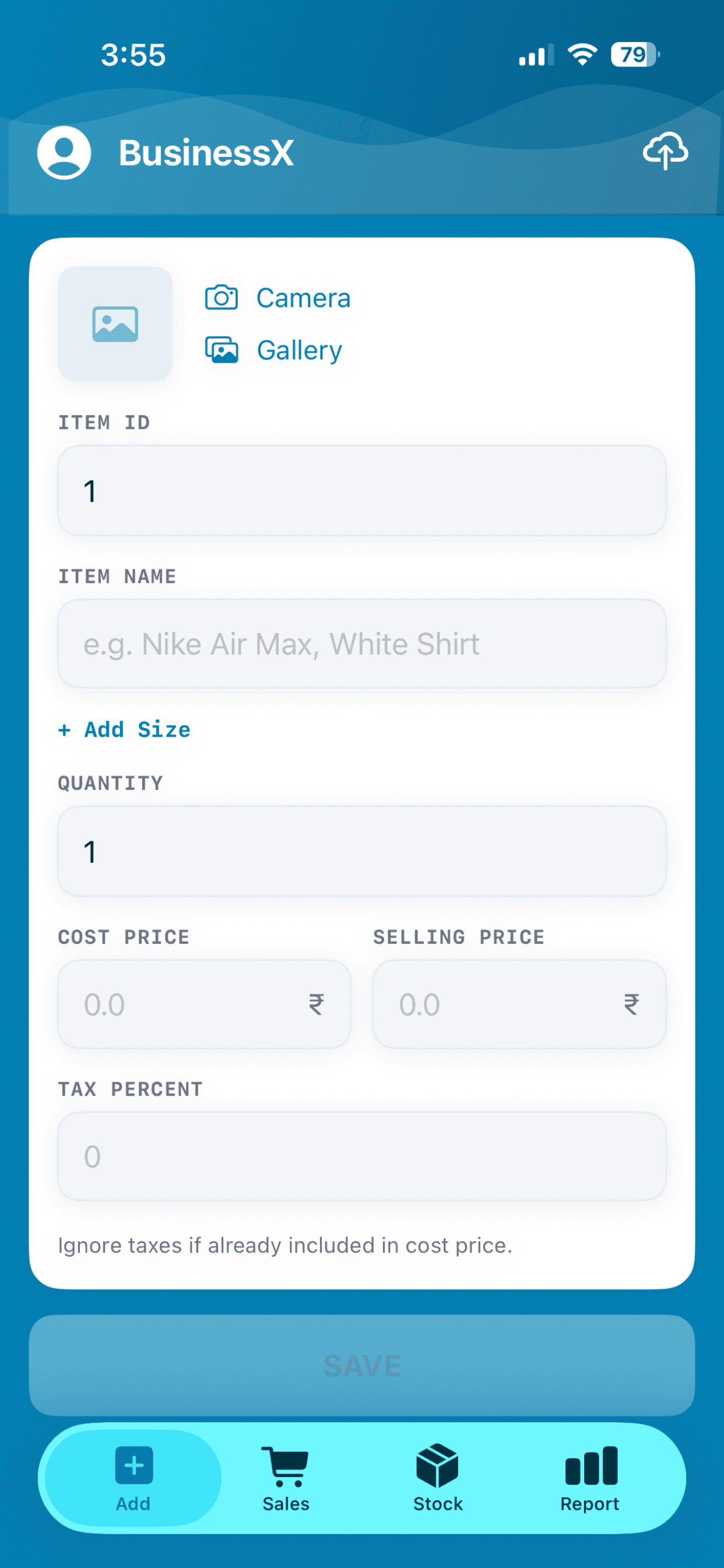
A photo, a name, a quantity, the cost price and the selling price. That is all it needs. Change anything later by searching for the item by name or ID.
- Take a photo with the camera or pick one from the gallery
- Add sizes when an item comes in more than one
- Edit an item any time from the stock list
See what is left at a glance.
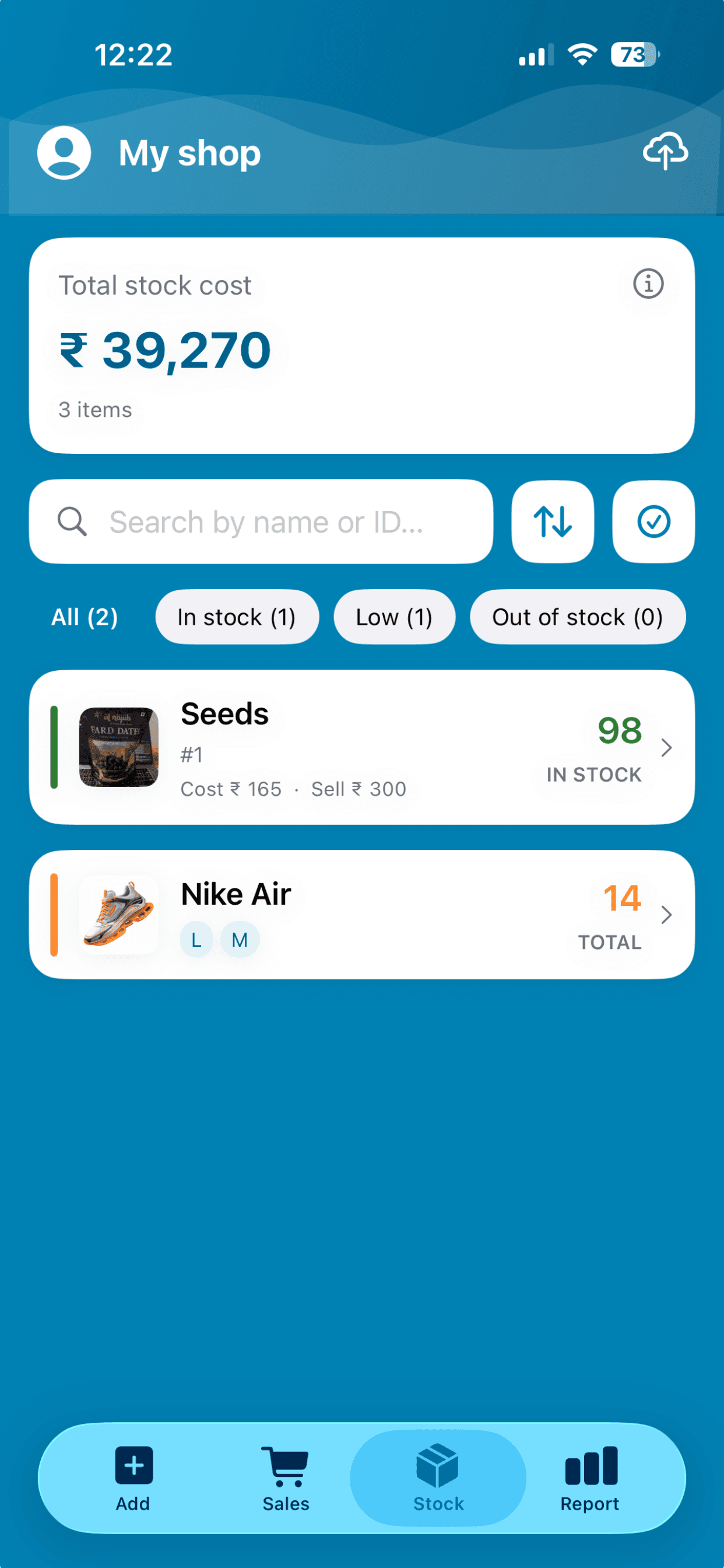
Green, amber and red markers show which items are healthy, low or gone. Filter the list by in stock, low or out of stock, and see the total cost of the stock you are holding.
- Search the stock list by name or ID
- Low and out-of-stock filters for reorder day
- Total stock cost on top of the list
Restock in a tap.
A delivery arrives. Tap the item, enter how many came in, and BusinessX shows your new average cost and margin before you confirm. Record the purchase as an expense if you want it counted.
Offline first, in sync when you are online.
Count stock and record sales with no signal. When you reconnect, the numbers sync across every phone that shares your shop and back up to the cloud.
Read: how to track stock without internet →Take your stock list with you.
Export your inventory as CSV, Excel or PDF for a stock take or for your accountant.
Read: count stock without closing the shop →Inventory questions, answered.
How do I manage inventory without internet?
Use an app that stores everything on the phone first. In BusinessX, adding stock, selling and restocking all work offline, and sync and backup catch up when you reconnect.
How will I know when to reorder?
Each item shows a green, amber or red stock marker, and you can filter the list to low or out-of-stock items, so reorder day starts with a ready-made list.
What happens to my stock when a delivery arrives?
Tap the item and enter how many came in. BusinessX adds them to the count and shows the new average cost and margin before you confirm.
Can I export my inventory?
Yes. Export your inventory as CSV, Excel or PDF whenever you want.
Can I manage inventory for more than one shop?
Yes. You can run up to 3 shops from one account, and each shop keeps its own stock.
More answers on the BusinessX FAQ.
More from BusinessX
A simple POS for your counter
Tap items, save the sale. Stock and profit update on their own, offline, on the phone you already have.
Size-wise stock for shoes and clothes
One item, a row per size, a count for each. Sell by size and restock one size at a time.
Staff access and multiple shops
Share a shop with staff and choose what they can do. Run up to 3 shops from one account.
Know what is on your shelves.
Add your first item and watch the count follow every sale.