Know your daily profit, not just your sales.
Enter the cost and selling price once per item. Every sale then carries its own profit, and your report adds it up for the day, the month and beyond.
On the stores as Daily Sales Profit & Inventory
In short
BusinessX is a daily profit tracker for small shops, on Android and iPhone. Because you enter each item's cost and selling price, it shows profit on every sale, then net profit and margin after your expenses.
Checked against the current app version. Updated .
Profit on every sale.
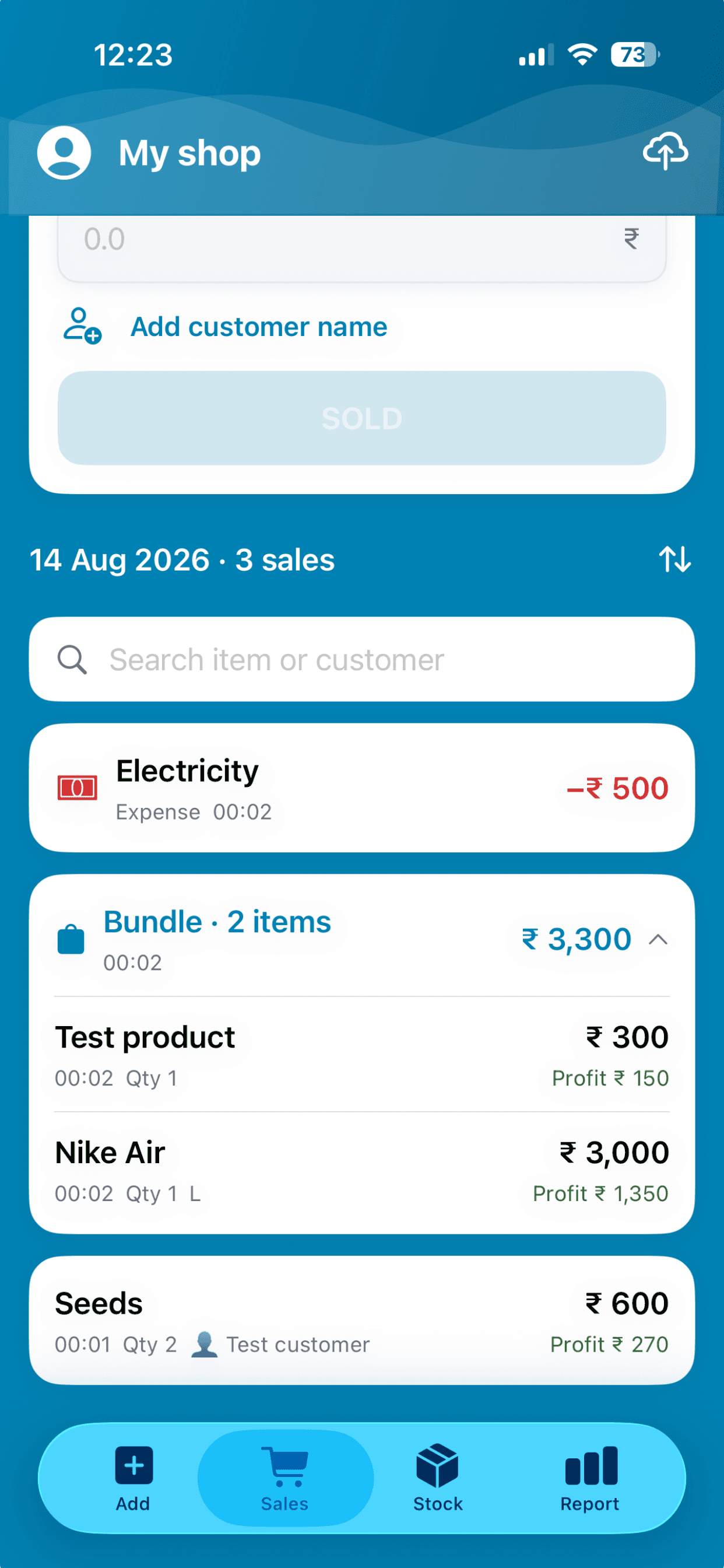
A pair of shoes that cost 1,650 and sold for 3,000 shows 1,350 profit, right on the sale. You see which items earn and which just move.
- Profit shown next to each sale, not only in a monthly total
- Sell several items as a bundle and see each item's profit
- Profit uses the cost price you entered for that item
A daily report that does the sums.
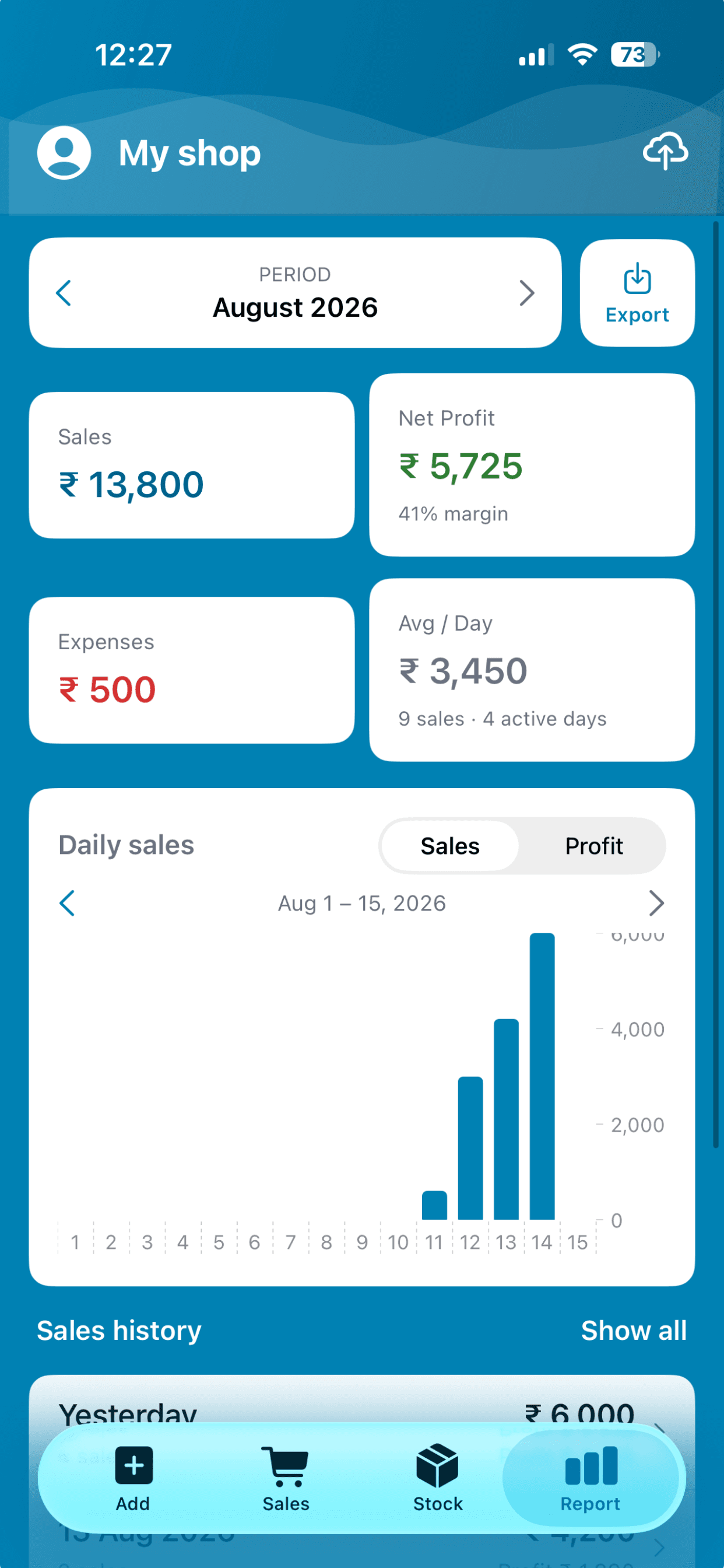
Sales, net profit and margin, expenses and your average per day, with a daily chart you can switch between sales and profit.
- Browse month by month
- Net profit is profit minus the expenses you logged
- Tap Net Profit for how it is worked out
Trends over weeks and months.
Look at sales and profit over 1 month, 3 months, 6 months, 1 year or a range you pick. A line or bar chart shows the direction, and a tap opens the sales behind a period.
Read: how to calculate profit margin →Offline, and private when you want it.
The numbers work with no signal. If staff use the app, profit stays hidden from them unless you switch it on.
Staff access and profit visibility →Profit and loss for one day.
Here is the sum BusinessX does for you, with round numbers. You enter each item's cost once; the rest follows every sale.
- Sales for the day
- 10,000
- What those items cost you
- − 6,000
- Profit on sales
- 4,000
- Expenses (electricity)
- − 500
- Net profit
- 3,500
- Margin
- 35%
Example figures, in any currency.
Profit tracking questions, answered.
How do I track daily profit in a small shop?
Record each item's cost and selling price once, then record sales as they happen. BusinessX works out the profit on every sale and adds it up on the daily report.
Does BusinessX do profit and loss?
It shows sales, net profit and margin, plus expenses. Net profit is the profit on your sales minus the expenses you log, so you see what you kept.
What is the difference between margin and markup?
Margin is profit as a share of the selling price; markup is profit as a share of the cost. Our guide to profit margin for small shops walks through both with examples.
Can I look at profit over a year?
Yes. Trends shows sales and profit over 1 month, 3 months, 6 months, 1 year or a custom range.
Can I hide profit from my staff?
Yes. Staff do not see profit unless you switch Show profit on for them.
More answers on the BusinessX FAQ.
More from BusinessX
A daily sales record, no notebook
Every sale saved with items, time and profit. Mark paid or unpaid, then export for your accountant.
Inventory management, offline
Add items with a photo, restock in seconds and see low stock before the shelf is empty.
Staff access and multiple shops
Share a shop with staff and choose what they can do. Run up to 3 shops from one account.
Find out what you really made today.
Add a few items with their cost, record a sale, and watch the profit land.